The Ultimate “Leaving the House” Automation Setup
The Ritual Nobody Talks About
There’s a particular kind of anxiety that lives in the gap between your front door and your car. You’re already running two minutes late. You think you turned off the coffee maker. You’re pretty sure you locked the back door. The iron did you even use the iron today? By the time you’ve reached the end of the driveway, the doubt has metastasized into a full loop of mental static that follows you all the way to the office.
This is the chaos that “leaving the house” automation is actually built to solve. Not the novelty of voice-commanding your lights. Not the Instagram-worthy glow of a smart bulb. The real value is quieter and more practical: eliminating the cognitive tax of departure.
Most people who build smart homes start with the fun stuff ambiance lighting, a speaker that tells them the weather. But the automation stack that genuinely changes your daily life is the one assembled around a single, mundane moment: the second you walk out the door.
What a Good “Away” Routine Actually Does
A well-designed departure automation isn’t a single trigger. It’s a choreography. When it works right, the house responds to your absence the same way a good assistant would shutting things down, securing what needs securing, and handing off responsibility so your brain doesn’t have to carry it.
The baseline version handles the obvious: lights off, thermostat shifted to away mode, smart plugs cut to anything that draws phantom load or poses a risk. That alone covers maybe 80% of the mental weight most people carry out the door. But the remaining 20% is where the real design thinking happens.
Consider the garage door. It’s the single most common source of “wait, did I close it?” spirals. A tilt sensor paired with your automation hub can both confirm closure and trigger an auto-shut after a set window say, ten minutes if it was left open. No app check required. No second-guessing. The system handles it the same way every time.
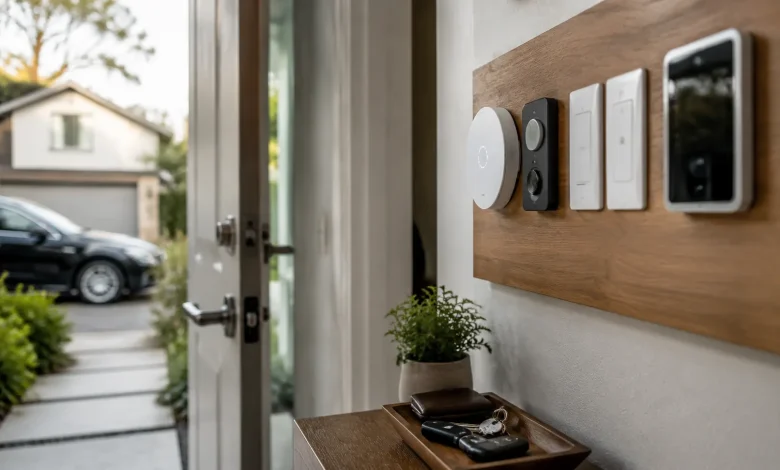
The front door lock follows the same logic. A smart lock with auto-lock functionality can be set to engage the moment your departure routine fires. Pair it with a door sensor so the routine won’t trigger the lock if the door is still physically ajar. These small conditional layers are what separate a reliable system from one that fails at inconvenient moments.
The Trigger Question Is More Important Than the Devices
Here’s where most smart home tutorials get it wrong: they obsess over which devices to buy and skip past the harder question of what actually starts the whole sequence.
You have a few real options. A manual trigger a button by the door, a tile on your phone’s home screen works, but it requires active intention. You have to remember to press it, which reintroduces the human error you were trying to eliminate. It’s better than nothing, but it’s not a system.
Presence detection is the more elegant answer. The concept is straightforward: when your phone’s GPS signals that you’ve left a defined zone around your home, the automation fires. Google Home, Apple Home, Home Assistant, and SmartThings all support some version of this. In practice, the execution varies wildly. Apple’s geofencing is relatively reliable for single-user households. Home Assistant with a companion app gives you the most granular control and the best track record for multi-person homes.
The catch with phone-based presence is the occasional false departure your phone drifts outside the geofence while you’re still home, the furnace kicks off, and you’re suddenly locked out of your own house. The fix is a grace period and a secondary confirmation. Set the geofence trigger to require you to be outside the zone for three to five minutes before the routine executes. Stack it with a door sensor event if the front door opened and then closed in the last few minutes, the system can treat that as a stronger departure signal.
Some people add a third layer: a dedicated device like an Apple Watch or a Tile tracker that confirms you’re mobile, not just that your phone thinks you’ve moved. It sounds like overkill until the first time you avoid coming home to a58-degree house because your phone slipped between the couch cushions while you were sitting in the backyard.
Handling the Edge Cases Nobody Writes About
The gap between a demo-ready system and one that actually holds up over months of real use is almost entirely about edge cases.
What happens when one person leaves but another stays home? A single geofence tied to one phone will throw the whole routine. The right approach is an occupancy model: the away routine only fires when all tracked residents have left the defined zone. Home Assistant handles this natively with a group-based presence entity. In Apple Home, you build it through a combination of personal automations and shared home settings. It’s fiddly to configure once and nearly invisible after that.
What about guests? A house-sitter, a partner who isn’t on the home network, a parent visiting for a week? This is where most automated systems quietly fall apart. The cleanest solution is a guest mode a toggle that suspends geofence-triggered routines and hands control back to manual. One button on a visible tablet or a single shortcut in your phone’s home screen. When guest mode is on, nothing runs automatically. When it’s off, the system resumes.
Security cameras deserve their own mention. Exterior cameras recording continuously are a privacy non-issue. Interior cameras are different. A lot of people want them for monitoring pets or packages, but feel uncomfortable having them active when someone else is home. Wiring the indoor cameras into the away routine active only when the house is confirmed empty solves this cleanly. It also means they’re reliably on when you need them and reliably off when you don’t.
The Notification Layer: Knowing Without Checking
A good departure system doesn’t just act it confirms. Not a flood of push notifications every time a light turns off, but a single summary. One message, thirty seconds after the routine fires, that says: away mode active, garage closed, back door locked, thermostat set to 68.
That single notification does something psychologically important. It closes the loop. The mental static the did-I, did-I, did-I has nowhere to live if the answer already arrived in your pocket before you reached the end of the block.
Home Assistant lets you build this with a simple notification action appended to your departure automation. Stringify it however makes sense for your household. Some people want a checklist format. Others want a single line. The format matters less than the habit of trusting it and you’ll only develop that trust once the system has proven accurate enough to override your instinct to double-check.
That trust-building phase takes a few weeks. There will be mornings where the notification arrives and you still circle back to check the garage. That’s fine. It’s the automation proving itself, not failing. Eventually, the notification becomes the authority, and the circling stops.
The Overlooked Payoff
The smart home industry tends to sell convenience as the headline benefit. Faster, easier, hands-free. That framing undersells what’s actually on offer.
What a well-built departure automation really gives you is mental continuity. You leave the house the same way every time. The same things happen in the same order. The same confirmation lands in your pocket. There’s no variation to track, no exceptions to remember, no residual doubt riding along with you into the rest of your day.
That’s not a small thing. Decision fatigue is real, and the departure ritual however trivial it looks from the outside is a daily drain on attentional resources. Automate it properly and you recover a small but consistent fraction of cognitive bandwidth that compounds over time into something that actually feels like clarity.
The goal was never a house that responds to voice commands. It was always a house that handles itself so you don’t have to.