Do You Really Need Paid Antivirus Software Nowadays?
Every few years, this question resurfaces usually after someone gets a bill for a Norton or McAfee subscription renewal and wonders what exactly they’re paying for. It’s a fair thing to wonder. The threat landscape has shifted, operating systems have gotten smarter, and the antivirus industry itself has quietly transformed into something most people don’t fully recognize anymore. So let’s actually dig into this, because the honest answer is more complicated than either side of the debate usually admits.
Windows Defender Changed Everything
There was a time not even that long ago when Windows’ built-in security was genuinely embarrassing. Early versions of Windows Defender were so weak that security researchers barely acknowledged its existence. Third-party antivirus wasn’t just recommended back then; it was practically mandatory.
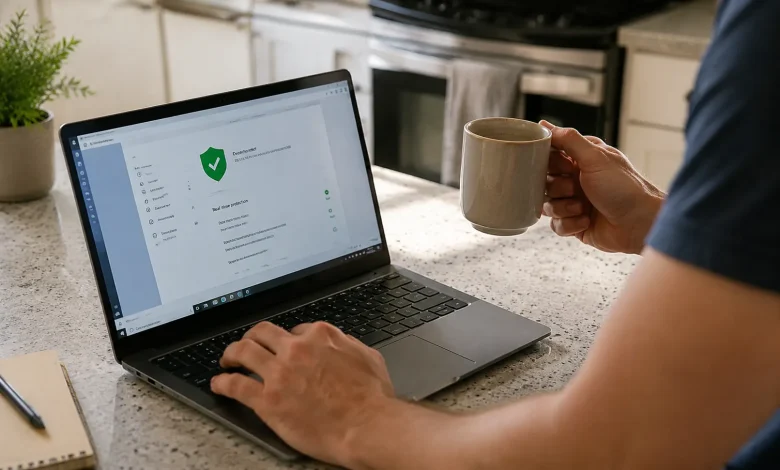
That era is over. Microsoft quietly turned things around with Windows 10, and by the time Windows 11 arrived, Defender had evolved into a legitimately competitive security tool. Independent testing labs like AV-TEST and AV-Comparatives consistently rank it in the same tier as paid competitors sometimes above them. It catches the overwhelming majority of known malware, runs real-time protection without killing your system performance the way older security suites used to, and integrates directly with the operating system in ways that third-party tools can’t always replicate.
For a regular home user who browses the web, watches streaming content, manages email, and pays the occasional bill online, Windows Defender is genuinely enough. This isn’t a controversial take anymore. It’s become the quiet consensus among security professionals who aren’t trying to sell you anything.
What Paid Antivirus Actually Sells You Today
Here’s where things get interesting and a little cynical. If you look closely at what premium antivirus packages now include, you’ll notice that the core antivirus component is almost secondary. The real product is a bundle.
A typical paid suite from a major vendor might include a VPN (often limited to a few hundred megabytes per day unless you upgrade), a password manager, parental controls, dark web monitoring alerts, identity theft insurance, a file shredder, a system optimizer, and cloud backup. Strip all of that away and ask yourself: how much of this did I actually need, and could I get it better somewhere else?
The VPN bundled with most security suites is serviceable at best. Dedicated VPN services like Mullvad or ProtonVPN offer significantly more robust privacy features. Password managers like Bitwarden do what the bundled ones do and Bitwarden is free. The identity theft monitoring is largely a notification service; it tells you that your email was found in a breach, which you could also learn from Have I Been Pwned for nothing.
The bundling strategy works because it creates perceived value. You feel like you’re getting a security ecosystem when you’re often just getting a collection of average tools packaged together at a premium price.
The Real Threats Most People Aren’t Thinking About
Here’s something the antivirus conversation tends to gloss over: most successful attacks on regular users today don’t get stopped by antivirus software at all. Not the paid kind, not the free kind.
Phishing is the dominant vector. Someone gets an email that looks exactly like it’s from their bank, their delivery service, or a streaming platform. They click the link. They enter their credentials on a convincing fake page. No malware was ever installed. No virus scanner triggers. The damage is done.
Social engineering works the same way. A phone call, a fake tech support popup, a fraudulent invoice these are human attacks, not technical ones. Antivirus can’t evaluate whether the person on the other end of the phone is legitimate.
And then there’s credential stuffing automated attacks that take username and password combinations leaked from one breach and try them across dozens of other services. If you’ve reused a password anywhere, this is a real risk. A strong, unique password for every account managed through a dedicated password manager does more to protect you against this than any antivirus product on the market.
The security posture that actually matters in 2025 looks more like this: a reputable password manager, multi-factor authentication on anything important, a healthy skepticism toward unsolicited links and requests, regular software updates, and maybe a good ad blocker to reduce your exposure to malicious advertising. Windows Defender handles the malware layer. The rest is behavioral.
When Paid Antivirus Does Make Sense
None of this is to say that paid antivirus is worthless just that it’s often oversold to people who don’t need it for the specific reason they think they do.
There are cases where the premium route earns its price. If you’re running a small business and managing endpoints across multiple machines, the centralized management consoles that come with business-tier security products are genuinely useful. Keeping track of threat reports, enforcing policies, and managing updates remotely across a dozen or more computers is a real operational need, and purpose-built tools handle it better than Windows Defender alone.
Parents with younger children at home often find value in the content filtering and screen time management features bundled into some security suites though dedicated parental control software typically does this better.
If you’re running Windows 7 or an older system that no longer receives security updates, paid antivirus provides at least some mitigation for vulnerabilities that Microsoft is never going to patch. It’s not a full solution an outdated OS is fundamentally exposed but it adds a layer. The real answer in that situation is to update, but not everyone can or will.
And for genuinely high-risk users journalists working with sensitive sources, activists in hostile environments, executives with access to valuable corporate data security needs are different enough that professional guidance and potentially enterprise-grade tools are warranted. But that’s a different conversation than whether a household of four needs to pay $80 a year to keep their family laptop safe.
The Industry That Profits from Your Uncertainty
There’s a psychological dimension to all of this worth naming directly. The antivirus industry has a vested interest in keeping users anxious about digital threats. Marketing campaigns lean heavily on fear stories of identity theft, ransomware catastrophes, children exposed to predators online. Some of these threats are real. But the framing is almost always designed to make you feel like the only thing standing between you and digital ruin is their product.
It’s worth applying the same critical reading to antivirus marketing that you’d apply to any other industry that profits from your insecurity. Ask what the actual threat model is for someone like you. Ask whether the specific features being advertised address that threat model, or whether they’re bundled features you’d never use. Ask whether free alternatives exist.
The security industry has good people in it doing genuinely important work. But the commercial antivirus segment particularly the consumer end has drifted toward selling peace of mind more than protection. Peace of mind has value, and if a subscription renewing each year genuinely helps someone feel more confident using their computer, that’s not nothing. Just know what you’re actually buying.
So What’s the Actual Answer
For most people using a reasonably current version of Windows, macOS, or a major Linux distribution: no, you don’t need to pay for antivirus software. The built-in protections are solid, the marginal improvement from a paid product is small, and the real vulnerabilities in your security posture are almost certainly elsewhere.
Keep your software updated. Use a password manager a real one, not the one bundled with a security suite. Enable two-factor authentication. Be suspicious of unexpected messages asking you to click something or verify something. These habits close more doors than any subscription ever will.
The $40, $60, or $100 a year you’d spend on premium antivirus is better invested in understanding how you actually get compromised and making sure those pathways are closed.