The No-Code Workflow That Saved Me 10 Hours of Manual Work This Week

There’s a specific kind of Monday-morning dread that has nothing to do with the week ahead. It’s the one that hits when you realize you spent a significant chunk of last Friday doing the same task you did the Friday before that and the one before that. Copy data from here, paste it over there, send a confirmation email, update a spreadsheet, move the file to the right folder. It doesn’t feel like work. It feels like being a very slow, very tired machine.
That was me, six weeks ago. And honestly, I’d normalized it so thoroughly that I stopped registering it as a problem. It just lived in my schedule as “admin time” a polite euphemism for hours I’d never get back.
What changed wasn’t a revelation. It was a conversation with a colleague who casually mentioned she’d automated her client onboarding process over a weekend using tools she’d never coded a single line for. I didn’t believe her at first. Automation, in my mental model, belonged to engineers. It required understanding APIs, writing scripts, probably some late nights squinting at terminal windows. But she showed me her setup simple, visual, almost embarrassingly logical and something clicked.
The Problem I Was Actually Trying to Solve
Before getting into what I built, it’s worth being honest about what I was dealing with. My workflow involved three recurring pain points that each cost me somewhere between 90 minutes and two hours per week.
The first was lead intake. Every time someone filled out a contact form on my site, I had to manually move that information into my CRM, tag the lead, and send a personalized follow-up email. Simple in theory. Tedious in practice, especially when leads would trickle in at odd hours and I’d batch the task, only to forget about it or deprioritize it under more pressing work.
The second was content repurposing. I write long-form pieces regularly, and distributing them reformatting for different platforms, pulling key quotes, scheduling social posts was its own mini-project every single time. I was doing the same mechanical transformation work repeatedly, just with different content.
The third was weekly reporting. Every Friday, I compiled data from three different sources into one summary document that I sent to two collaborators. It took about an hour. Forty-five minutes of that was formatting.
None of these tasks required my judgment. They required my time. That distinction turned out to be everything.
Building Without Writing a Single Line of Code
I started with Make (formerly Integromat), though Zapier or n8n would have served similar purposes. The appeal of these platforms is the visual logic you’re essentially drawing a flowchart where each step is a real action taken by a real app. Connect your form tool to your CRM to your email platform, and watch the chain execute itself.
My lead intake automation took about 45 minutes to set up on a Saturday morning. The trigger was a new form submission. The action sequence: create a contact in my CRM, assign a tag based on which form they filled out, wait two minutes (this made the follow-up feel less robotic), then send a templated email that pulled their name and the specific service they inquired about from the form data. Done. Running autonomously ever since.
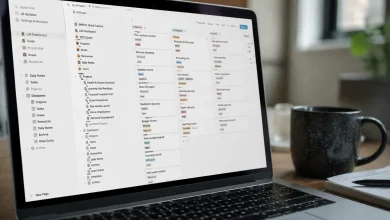
The content repurposing workflow was messier to figure out, but more satisfying once it worked. I use Notion as a content hub. When I mark a published article with a specific tag in Notion, a workflow triggers that pulls the title, the URL, and a custom “social excerpt” field I’d added to my template. It then creates three pre-formatted draft posts one for LinkedIn, one for Twitter/X, one for a newsletter digest each with slightly different framing, dropped into a Buffer queue for me to review before they go out. I still exercise editorial judgment over the final posts. I just don’t spend an hour setting up the scaffolding anymore.
The reporting workflow was, in retrospect, the easiest of the three. I used Google Sheets as the central data store, pulled in metrics from two other sources via scheduled automations, and built a template that auto-populated on Friday mornings. A single email trigger sent the document link to my collaborators at9 a.m. I stopped thinking about it entirely.
The Part Nobody Talks About
Here’s what the tutorials and productivity influencers tend to gloss over: the setup is rarely as smooth as the demos make it look. There’s a learning curve that isn’t about technical knowledge it’s about learning to think in systems logic.
The first automation I tried to build broke in three places before it worked. Not because the tools were flawed, but because I hadn’t thought through the edge cases. What happens if the form is submitted without a phone number? What if the CRM already has that email address? What if the email bounces? Each failure was actually useful it forced me to trace the exact conditions under which my process needed to behave differently, which meant I genuinely understood my own workflow for the first time.
There’s also the maintenance question that nobody mentions when they’re evangelizing automation. These workflows aren’t set-and-forget forever. Apps update, APIs change, field names shift. I’ve had automations break quietly running but not doing what I expected because an upstream tool changed something without much fanfare. Building in a quick monthly check became part of the practice.
None of this is discouraging, though. It’s just honest. The upfront investment a few hours of setup, a few frustrating debugging sessions pays itself back within the first two weeks.
What10 Hours Actually Looks Like When You Get Them Back
I want to resist the productivity-porn framing here, where reclaimed time gets immediately funneled into more output, more hustle, more optimized performance. That’s not really the point.
What I noticed first wasn’t that I got more done. It was that my relationship to work shifted in a subtle but real way. The mental load of remembering to do those tasks the low-grade background hum of “I still need to send that follow-up” or “the report is due Friday” went quiet. That cognitive space freed up was actually more valuable than the time itself.
Some of those recovered hours went into deeper work. Writing that required sustained concentration, strategic thinking that had been getting squeezed out by logistics. Some of them, honestly, went into rest. Long lunches. Reading. The radical act of finishing work at a reasonable hour and not thinking about the inbox.
The no-code tools made this possible without requiring me to become a different kind of person someone with a CS degree, a developer’s mindset, a tolerance for debugging Python at midnight. The barrier was lower than I’d assumed, and the payoff was higher than I’d hoped.
Where to Start If You’re Where I Was
The most common mistake I see is people trying to automate everything at once. They come in with a list of fifteen workflows and a determination to overhaul their entire operation in a weekend. It almost always ends in frustration and abandonment.
Start with one task. Specifically, the one that costs you the most time and requires the least judgment. For most knowledge workers, that’s some form of data transfer moving information from point A to point B and triggering a downstream action. That’s the low-hanging fruit, and landing your first working automation creates a kind of momentum that makes the next one easier to approach.
Make, Zapier, and n8n are all solid starting points, each with a free tier that handles a reasonable volume of automations. Notion, Airtable, Google Sheets, and most form tools have native integrations that require almost no configuration to connect. The ecosystem is genuinely mature at this point.
The broader insight, though, is less about the tools and more about the mindset shift. Once you start seeing your recurring tasks as systems inputs, conditions, outputs, triggers you start noticing automation opportunities everywhere. Not to replace thinking, but to protect time for it. That’s the real trade being made, and it’s one I should have made a lot sooner.