Recovering Your Hacked Instagram: A Step-by-Step Rescue Plan
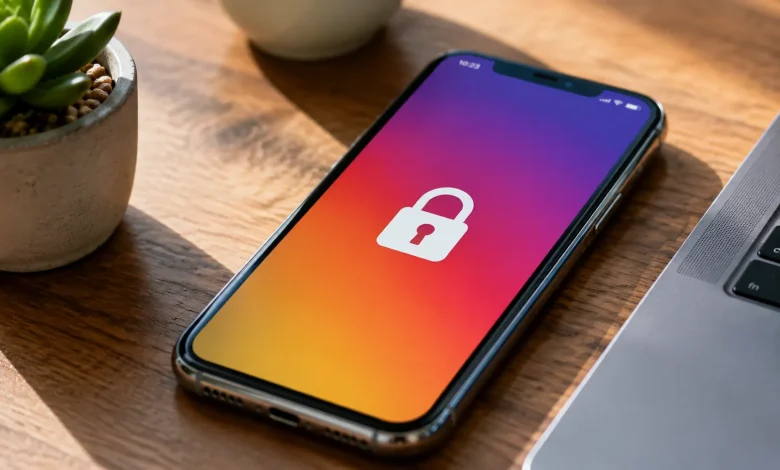
There’s a particular kind of panic that sets in when you open Instagram and your password doesn’t work. You try again. Same result. You check your email for a login notification you never sent, and there it is an alert from a city you’ve never visited, a device you’ve never owned. Your stomach drops. Someone is in your account, and you’re locked out of your own digital life.
This happens more than most people realize. Instagram has over two billion active users, which makes it one of the most targeted platforms for account takeover. Hackers aren’t always sophisticated cybercriminals running elaborate operations from dark server rooms. Often, they’re running automated scripts that test leaked password combinations from other data breaches, a technique called credential stuffing. If you’ve reused a password from an old forum account or a forgotten shopping site, that’s the door they walked through.
Knowing how it happened matters but right now, the more urgent question is: what do you actually do?
The First Thirty Minutes Matter More Than You Think
Speed is your most valuable asset in the initial window after a hack. The longer a bad actor controls your account, the more damage they can do changing your recovery email, enabling two-factor authentication on their own device, locking you out completely, or running scams on your followers.
Start with Instagram’s official recovery flow. Go to the login screen and tap “Forgot password.” Instagram will offer to send a recovery link to your email or phone number. If the hacker hasn’t yet changed those details and many move slowly, or focus on your followers first this link will restore your access before they have a chance to dig in.
The moment you’re back in, don’t exhale yet. Go immediately to Settings, then Security, then Active Sessions. You’ll see every device currently logged in. Revoke access to anything unfamiliar. Every single one. Then change your password to something long, random, and completely unique not a variation of something you’ve used before.
When the Recovery Email Is Already Changed
This is where things get harder. If the attacker has already swapped out your email address, Instagram’s standard recovery flow hits a wall. You request the reset link, and it goes to an inbox they control. This scenario is frustrating but not hopeless.
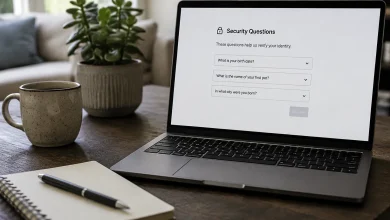
Instagram has a dedicated support path for compromised accounts. On the login screen, tap “Get more help” beneath the password field. From there, you can request a video selfie verification a feature Instagram introduced specifically for situations where traditional recovery options have been compromised. You record a short clip of your face, and Instagram’s system compares it to photos on your account to verify your identity. It’s not instant. Sometimes it takes 24to 48 hours. But for accounts with a real photo history, it’s one of the most reliable recovery routes available.
There’s an important nuance here: this option works better if your account had actual photos of your face posted over time. If your profile was entirely product shots or graphics, the facial recognition comparison has less data to work with, and you may need to escalate further through Instagram’s support channels, which requires patience and sometimes multiple attempts.
What If You Never Had Two-Factor Authentication Enabled?
Here’s the uncomfortable truth most people don’t want to hear: if you hadn’t set up two-factor authentication before the hack, your recovery path is significantly harder, and the hacker’s path in was almost certainly easier.
Two-factor authentication where a login attempt triggers a code sent to your phone is the single most effective deterrent against account takeover. It doesn’t make an account invincible, but it raises the cost of entry high enough that most automated attacks simply move on to easier targets.
Once you recover your account, enabling2FA isn’t optional anymore. Go to Settings, Security, and turn on Two-Factor Authentication using an authenticator app rather than SMS. Apps like Google Authenticator or Authy generate time-sensitive codes locally on your device, whereas SMS codes can be intercepted through SIM-swapping attacks a method where a hacker convinces your carrier to transfer your phone number to a SIM card they control. It’s a more advanced attack, but it happens, and an authenticator app sidesteps it entirely.
The Hidden Damage You Need to Audit
Recovering access is step one. Understanding what happened while you were locked out is step two, and most people skip it.
Check your direct messages immediately. Hackers frequently use compromised accounts to send phishing links to the victim’s followers messages that look like they’re coming from someone trusted. If your account was used to send scam links, the damage extends beyond you. People in your network may have clicked something harmful. A transparent post acknowledging the breach, letting your followers know not to trust any unusual messages they received, isn’t just good etiquette it limits the blast radius of what happened.
Look at your connected apps under Settings and Security. Third-party apps that were granted access to your Instagram account might have been the entry point, or they might now represent a secondary vulnerability. Revoke access to anything you don’t actively use or recognize.
Check whether your profile information was altered bio, website link, profile photo. Hackers sometimes swap these to redirect your audience to scam sites, and if you don’t catch it quickly, followers may interact with that content for days before you notice.
When Instagram Support Feels Like a Dead End
Let’s be honest about something: Instagram’s support infrastructure is notoriously difficult to navigate. There’s no phone number, no live chat, and the automated help flows can loop you in circles. People have spent weeks trying to recover accounts through official channels with no response.
If you’re hitting walls, try these parallel approaches. If your account is linked to a Facebook account, the Facebook Help Center sometimes offers more direct support pathways and since both platforms fall under Meta, an escalation on one side can unblock the other. If you have a business or creator account, you have access to Meta Business Support, which has actual human reviewers and faster escalation queues.
For personal accounts without a business connection, persistence is the strategy. Submit the same support request through different entry points the mobile app, the desktop browser, the Help Center and don’t submit multiple requests simultaneously, as that can actually slow down your queue position. Document everything: dates, confirmation numbers, screenshots of what the hacker changed. If you eventually reach a human reviewer, that paper trail is what moves things forward.
The Psychology of Getting Hacked and Not Getting Hacked Again
There’s a tendency, once the crisis is resolved, to feel relieved and move on. The account is back, the password is changed, maybe2FA is now on. But the underlying habits that created the vulnerability often remain untouched.
Password reuse is the single biggest threat vector for most people. A password manager something like1Password, Bitwarden, or even iCloud Keychain removes the cognitive burden of remembering unique credentials for every account. You generate a random, impossible-to-guess password, store it, and never think about it again. When one service gets breached, it doesn’t cascade into every other account you own.
It’s also worth understanding that Instagram accounts with large followings, verified badges, or associated business revenue are high-value targets. The same goes for accounts with short, desirable usernames. If your account fits any of those categories, you’re not just a random credential in an automated scan you’re someone specific people might target with social engineering, fake customer service impersonation, or phishing emails designed to look like they’re from Meta. Recognizing that your account has real-world value is the first step toward protecting it with proportional seriousness.
Recovery from a hack is disorienting and exhausting. But the process of getting back in documenting the breach, auditing the damage, tightening your security posture leaves you in a stronger position than you were before it happened. That’s not a silver lining worth celebrating too loudly. It’s just the reality of what it costs to learn this particular lesson the hard way.