Password Managers vs. Pen and Paper: Which is Safer?
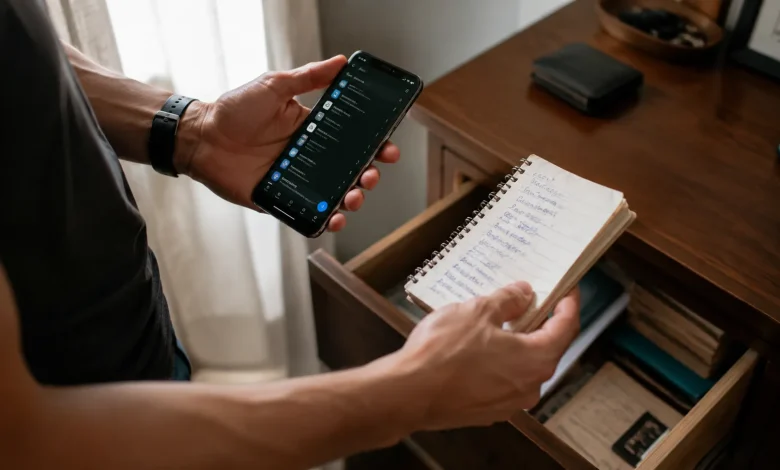
There’s a moment most people have experienced standing at a login screen, completely blanking on the password they set six months ago. Was it the one with the exclamation point? The one that started with their dog’s name? The frustration is universal, and the responses to it have split people into two very distinct camps: those who trust software to remember everything, and those who keep a small notebook tucked in a drawer somewhere, filled with handwritten credentials in faded ballpoint ink.
Neither camp is wrong, exactly. But neither is entirely right, either. The real answer the honest one requires looking at what “safer” actually means in the context of modern threats, human behavior, and the very different ways things can go wrong.
The Case for Password Managers
Password managers were built to solve a specific and deeply human problem: we are terrible at managing secrets at scale. The average person juggles somewhere between 70 and 100 online accounts. Expecting anyone to generate and remember 80 unique, complex passwords is not a security strategy it’s a fantasy.
What password managers actually do well is enforce good habits mechanically. They generate passwords that look like keyboard smashing 22 characters of random noise and store them in an encrypted vault that syncs across your devices. You remember one master password; the software handles the rest. In theory, this means every one of your accounts gets a genuinely strong, unique credential, which is the single most effective thing an ordinary person can do to limit their exposure.
The encryption behind reputable managers is serious. Most use AES-256 combined with a zero-knowledge architecture, meaning even the company running the service cannot read your vault. If their servers are breached, attackers walk away with encrypted gibberish. That’s not marketing that’s a meaningful technical protection.
But the word “reputable” is doing a lot of work in that sentence. LastPass, once the dominant name in the space, suffered a significant breach in 2022. Encrypted vaults were stolen. While the encryption itself held up for users with strong master passwords, the incident rattled trust across the industry. It was a reminder that convenience and cloud storage are inseparable from risk you are, at some level, trusting a third party with the keys to your digital life.
The other vulnerability sits not in the software but in the person using it. A weak master password effectively collapses the entire security model. And if a device with an unlocked password manager is stolen, or if someone installs malware that captures keystrokes, the vault’s contents become accessible regardless of how elegant the encryption is.
The Surprisingly Legitimate Case for Paper
Here’s something that gets lost in tech-forward security discussions: paper cannot be hacked remotely. Full stop. No phishing attack, no credential stuffing script, no database breach reaches a notebook sitting in your home office. The threat model for physical records is fundamentally different and in some ways, considerably smaller than the threat model for cloud-connected software.
Security researchers have a name for this: being “air-gapped.” The most sensitive systems in the world nuclear facility controls, classified government networks are air-gapped precisely because a machine that isn’t connected to anything cannot be attacked from the outside. A piece of paper is the ultimate air gap.
For certain populations, this matters more than people acknowledge. Older adults who aren’t navigating sophisticated digital threats, people who access only a handful of accounts, or anyone whose primary concern is remote attackers rather than family members or roommates for these users, a well-stored written record may genuinely be the more practical and defensible choice.
The problems with paper are real, though. Physical records burn, flood, get thrown away by accident, or get found by the wrong person. There’s no backup, no sync, no recovery mechanism. If your notebook disappears, so does your access. And the discipline required to update it consistently every time you change a password, every new account is exactly the kind of friction that causes the system to slowly fall apart. Most people who use paper end up with a partially outdated record, which is worse than useless in a crisis.
There’s also the handwriting problem. Abbreviations that made sense when you wrote them become cryptic six months later. Is that a zero or the letter O? Did you use a capital I or a lowercase l? Small ambiguities in written passwords can lock you out just as effectively as forgetting them entirely.
What the Threat Landscape Actually Looks Like
The debate between these two approaches often suffers from a mismatch between the threats people worry about and the threats that actually affect ordinary people.
Most credential theft doesn’t happen because a sophisticated attacker targeted you specifically. It happens because you reused a password across sites, one of those sites got breached, and your login credentials were sold in bulk on the dark web. This is credential stuffing automated tools trying stolen username-password combinations across thousands of services. It’s unglamorous, industrial-scale, and it accounts for a massive proportion of account takeovers.
Against this threat, password managers win decisively. Unique passwords per site mean a breach at one service doesn’t cascade into a breach everywhere else. Paper, if diligently maintained with unique passwords for every account, theoretically offers the same protection but the operational friction makes this genuinely rare in practice.
The scenarios where paper has an edge are narrower but real. If you’re worried about a targeted digital attack someone trying specifically to access your accounts keeping certain critical credentials (a backup email, a banking PIN) written down and stored separately from any digital system eliminates a whole category of attack vector. Some security-conscious people deliberately keep their most sensitive credentials off any networked device entirely.
The Master Password Problem Nobody Wants to Talk About
Password managers introduce a single point of failure that doesn’t exist when credentials are distributed across multiple notebooks, sticky notes, or memory. That single point is the master password and more practically, the device you use to access the vault.
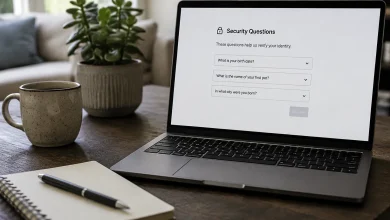
If you forget your master password with a zero-knowledge service, you lose everything. There is no “forgot password” recovery that works the way it does on a normal website, because the provider genuinely cannot decrypt your vault for you. Some services offer recovery keys long codes you’re supposed to print and store safely which, somewhat amusingly, brings you back to paper as the backup for your paperless system.
Biometric unlocking on mobile apps has softened this problem for most users, but it doesn’t eliminate it. A new phone setup, a device replacement, or a forgotten PIN can still cascade into a frustrating lockout scenario.
This is worth sitting with, because it reframes the original question. The choice isn’t really between “secure” and “insecure.” It’s between two different distributions of risk. Password managers concentrate risk into a single point the master credential and the devices that access it while offering broad protection against the most common attack vectors. Paper distributes risk differently: each credential is isolated, the system is resistant to remote attack, but physical vulnerability and operational decay are constant companions.
The Hybrid Approach Most Security Experts Actually Use
The honest answer from people who think about this professionally is that the binary is a false one. A password manager for the sprawling landscape of everyday accounts streaming services, retail sites, forums, anything that would be an annoyance rather than a catastrophe if compromised is genuinely the most sensible choice. The convenience is real, the security gains from unique passwords are real, and the daily friction of managing dozens of credentials by hand isn’t worth it.
But certain credentials warrant different treatment. Banking and investment account passwords, email account access (which functions as a master key to everything else), and any account tied to your identity documents these deserve a layer of protection that doesn’t depend entirely on a software vendor’s security practices or the safety of your primary device.
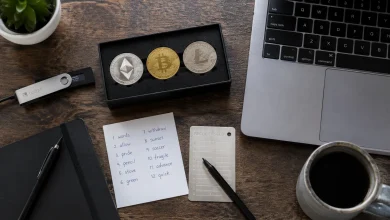
Keeping a minimal, carefully curated physical record of your most critical credentials, stored somewhere physically secure a locked drawer, a fireproof box, not in your wallet isn’t paranoia. It’s a reasonable hedge. The goal isn’t to pick a side in a technology debate. It’s to understand what you’re actually protecting, who you’re protecting it from, and what the realistic failure modes of each approach look like in your specific life.
The notebook people aren’t deluded. The password manager advocates aren’t wrong. The person who never thought about any of this and reused the same password everywhere that’s the one who’s going to have a bad Tuesday.