How to Spot a Phishing Email That Looks 100% Real
The Illusion Is the Point
There’s a reason phishing attacks keep working even on people who consider themselves tech-savvy. It’s not because the victims are careless. It’s because the attackers have gotten extraordinarily good at one thing: making you feel safe right before they take everything.
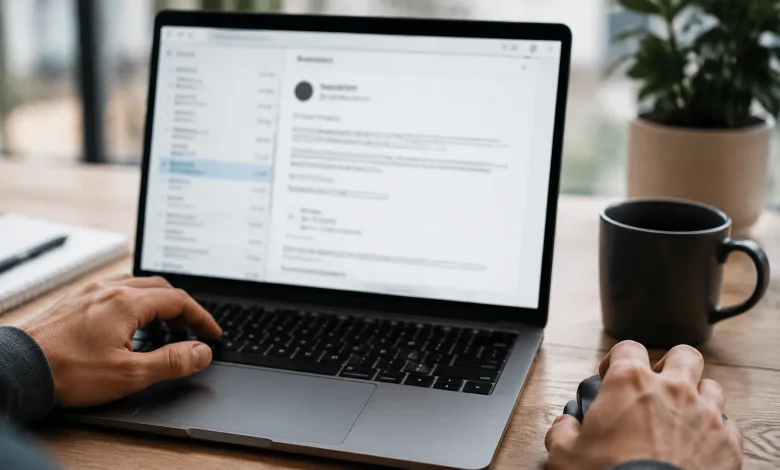
Modern phishing emails don’t look like the clumsy scams from fifteen years ago the ones with broken English, misaligned logos, and a Nigerian prince promising you a fortune. Today’s versions can be indistinguishable from a real email sent by your bank, your employer, or even a close colleague. The logo is pixel-perfect. The tone matches exactly how that company writes. The link looks legitimate at a glance. And crucially, the email arrives at a moment when you’re distracted, tired, or expecting exactly that kind of message.
That’s the trap. Not the technology. The timing, the context, and the psychology.
Why “It Looks Real” Is No Longer a Safe Standard
Most people still rely on visual trust signals to decide whether an email is legitimate. Does it have the right logo? Does the design look professional? Is the sender’s name someone I recognize? These were reasonable filters in2009. In 2024, they’re nearly useless.
Attackers now routinely clone entire email templates from legitimate companies. They scrape public websites, pull brand assets, replicate footer text, and reproduce every detail down to the unsubscribe link at the bottom. Some campaigns even include functional links real links to the actual company’s website except for the one link that matters, the call-to-action button that routes you to a fake login page.
What makes this particularly dangerous is that our brains are pattern-matching machines. When we see a familiar logo paired with a familiar sender name and familiar formatting, we start processing the rest of the email on autopilot. The critical thinking slows down. The skepticism dissolves. That’s exactly what the attacker is counting on.
The Sender’s Address: Where the Truth Hides
The single most reliable early indicator of a phishing email is the actual sending address not the display name, but the raw email address behind it.
Display names are completely cosmetic. Any attacker can set their display name to “PayPal Support” or “Microsoft Account Team” without owning a single PayPal or Microsoft domain. What they can’t easily fake though some come disturbingly close is the actual sending domain.
Look carefully at the full email address. A legitimate email from Apple will come from a domain like apple.com. A phishing attempt might come from appleid-verify.support.com, or apple-security-alert.net, or even something as subtle as appIe.com with a capital i replacing the lowercase L. That last one requires looking at the actual characters, not just glancing at the word shape.
One habit worth building: hover over or tap on the sender’s name before you read anything else. Make it automatic, the same way you check the expiration date before drinking milk. The actual address tells you more in two seconds than the entire email design tells you in two minutes.
The Link Is Never What It Looks Like
A phishing email lives or dies by its link. Get you to click, get you to enter credentials, game over.
Here’s something most people don’t do: they don’t check the URL before clicking. They see a button that says “Verify Your Account” and they click it, because the email looked legitimate and the button matches what they’d expect. By the time the fake login page loads and it will look real, same design, same colors, same error messages it’s often too late.
Before clicking any link in an email, hover over it on desktop and look at where it actually leads. The destination URL will appear in the bottom-left corner of most browsers and email clients. If the button says it’s taking you to Chase Bank but the URL shows something like login.account-services.xyz/chase, you’re looking at a phishing link. That disconnect between the visible text and the actual destination is one of the clearest red flags in existence and it’s consistently overlooked.
On mobile, press and hold the link to preview the URL before opening it. It takes an extra two seconds. Those two seconds can save you months of damage control.
Urgency and Fear Are the Real Payload
Technical deception is only half the attack. The other half is emotional manipulation, and it’s often the more effective half.
Phishing emails almost universally manufacture a sense of urgency. Your account has been compromised. Your payment failed. Unusual activity was detected. You have24 hours to verify your identity or your account will be permanently suspended. These phrases are chosen with precision because they trigger a specific psychological response: anxiety that overrides deliberate thinking.
When you’re worried, you move fast. When you move fast, you stop noticing details. The attacker knows this. The entire emotional architecture of the email the subject line, the opening sentence, the countdown language is engineered to get you to act before you think.
A genuinely useful mental habit: when an email makes you feel urgency, treat that feeling itself as a red flag. Slow down proportionally to how urgent the message claims to be. Legitimate companies rarely demand immediate action under threat of account termination. When they do have something genuinely time-sensitive, they provide multiple contact channels, not just a single link.
Spear Phishing: When They Know Your Name
The hardest phishing emails to catch are the ones that aren’t mass-produced. Spear phishing targets a specific person sometimes just one individual using real details gathered from LinkedIn profiles, company websites, email signatures, or prior data breaches.
The email might reference your actual job title, your manager’s name, a recent project you’re working on, or a vendor you genuinely work with. It might appear to come from someone inside your organization whose address has been spoofed with one transposed character. The request is usually something plausible: review this contract, approve this invoice, reset your credentials before the system migration tonight.
These attacks are harder because all the usual pattern-breaks are absent. The context feels right. The sender feels familiar. The request fits your actual workday.
The defense here isn’t technical it’s procedural. Any email asking you to take a sensitive action (click a link, transfer money, provide credentials, open an attachment) deserves out-of-band verification. Call the person. Use a phone number you already have, not one provided in the email. Send a separate message through a known channel. That friction is the point. It’s the only reliable defense against an attack that looks and sounds exactly like your real life.
Attachments, QR Codes, and the Shifting Attack Surface
For a while, the standard advice was to avoid clicking links in suspicious emails. Attackers adapted. Now some campaigns skip the link entirely and include a QR code instead, knowing that most people will scan it with their phone without the same skepticism they’d apply to a hyperlink. Mobile browsers are smaller, URLs are harder to inspect, and the security instincts that desktop users have developed don’t always follow them to their phones.
Attachments remain a persistent vector, particularly in business contexts. PDFs that redirect you to a credential harvesting page, Word documents with embedded macros, spreadsheets that request permission to run scripts all of these are active techniques. A general rule that holds up: if you weren’t expecting an attachment, verify before opening it. Even if the sender appears to be someone you know, because their account may have been compromised and is being used to attack you.
The attack surface keeps shifting, which is precisely why rule-based thinking “don’t click links in suspicious emails” is always lagging behind the actual threat. What stays constant isn’t the delivery mechanism. It’s the underlying logic of manipulation: create trust, manufacture urgency, and request action before the target has time to think.
What to Do When You’re Not Sure
The answer is almost always the same: don’t act from inside the email. Navigate independently.
If you receive an email claiming your bank account needs attention, don’t click the link in the email. Open a new browser tab, type your bank’s URL directly, and check your account from there. If there’s a real problem, it will be visible in your account. If there’s nothing there, the email was fraudulent.
This single habit go directly to the source rather than through the link provided neutralizes a significant portion of phishing attempts regardless of how convincing the email looks. The phishing email’s only power lies in the link it controls. Remove that link from the equation and the attack collapses.
Reporting also matters more than most people think. When you forward a phishing attempt to your company’s security team, to the spoofed organization, or to relevant authorities, you’re contributing to a defense that protects others. The email you almost fell for might be the one someone else does fall for tomorrow.
Trust your friction. The moment something asks you to move quickly, move slowly instead.