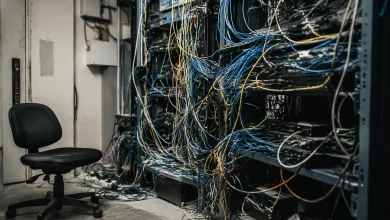
Step-by-Step: Phasing Out Old Systems Without Disrupting Daily Workflows

The Legacy Trap Nobody Talks About
Every organization has one that ancient CRM running on a server nobody’s touched since 2014, or the spreadsheet-based inventory system that somehow became load-bearing infrastructure for the entire operations team. People mock these systems in all-hands meetings and then quietly depend on them every single day. Replacing them sounds logical on paper. In practice, it feels like performing open-heart surgery while the patient is running a marathon.
The reason most system migrations fail isn’t technical. It’s human. Teams get attached to the familiar, workflows have been quietly optimized around old limitations, and the institutional knowledge baked into outdated software often lives nowhere else. When leadership pushes a hard cutover “we go live Monday, old system shuts down Friday” the result is predictable: chaos, workarounds, shadow systems, and a demoralized team convinced that the new software is worse, even when it objectively isn’t.
There’s a smarter path. It’s slower, requires more coordination, and demands a tolerance for ambiguity that many project managers find uncomfortable. But it works.
Map the Dependencies Before You Touch Anything
The first real mistake organizations make is treating legacy systems as monoliths to be swapped out wholesale. They’re not. They’re ecosystems. Before a single line of migration code gets written or a new vendor contract gets signed, someone needs to sit down and honestly document what the old system actually does not what it was supposed to do, but what it does right now, for real people, on a Tuesday afternoon.
This means talking to the people who actually use it. Not just their managers. The customer support rep who built a personal workaround in the legacy interface. The warehouse coordinator who exports data every morning and reformats it in Excel before it’s usable. The analyst who knows which fields in the database are mislabeled and compensates for it automatically. These people carry the operational truth of the system in their heads, and if you don’t surface that knowledge before migration, it vanishes the moment the old system goes dark.
Build a dependency map. It doesn’t need to be elegant even a whiteboard session with the right people can reveal that System A feeds data to Process B which triggers Notification C which someone in Finance manually checks before approving invoices. That chain is invisible in any official documentation, but breaking it will stop invoice approvals cold.
Run Parallel Systems, Even When It’s Uncomfortable
Once the dependency map exists, the migration strategy becomes clearer. For most organizations, the answer isn’t a cutover it’s a parallel period where both the old and new systems run simultaneously. Yes, it’s redundant. Yes, it creates data synchronization headaches. It’s still worth it.
The parallel period serves several functions that get underestimated. It creates a real-world testing environment without the pressure of production stakes. It lets teams build muscle memory on the new system before they’re forced to rely on it. And critically, it reveals the gaps the features users assumed would transfer, the edge cases the implementation team didn’t anticipate, the workflows that the new software handles differently enough to require retraining.
A financial services company that migrated its client management platform a few years ago ran a six-week parallel period for its advisors. During week two, they discovered that a batch reporting feature in the legacy system ran on a schedule that advisors had unconsciously built their morning routines around. The new system had equivalent functionality but the report was delivered two hours later in the day. That single timing difference was disrupting downstream client calls and creating stress nobody had anticipated. Caught in week two, it was fixable. Caught after a hard cutover, it would have been a crisis.
Phase by Function, Not by Team
A common migration approach is to roll out the new system department by department Finance goes first in March, Sales in April, Operations in May. It’s administratively clean. It’s also often the wrong unit of analysis.
Many core workflows don’t respect org chart boundaries. A procurement process might involve three departments touching a single record in sequence. If you migrate the Procurement team but not the Finance team, you’ve created a system where records have to be manually translated across platforms every time they cross a departmental line. That translation cost accumulates fast and tends to create exactly the kind of parallel shadow systems that migrations are meant to eliminate.
Phasing by function migrating one end-to-end workflow at a time, regardless of which teams it touches is more disruptive to plan but less disruptive to execute. It keeps each workflow internally consistent throughout the transition and prevents the fragmented half-migrated state that burns people out and breeds skepticism about the new system.
Treat Data Migration as Its Own Project
Here’s where many migrations quietly fall apart: data quality. Organizations assume the move from old to new is primarily a technical act export here, import there, field mapping in between. What they discover is that years of inconsistent data entry, deprecated fields, duplicate records, and undocumented conventions have turned the legacy database into something that only makes sense in context.
Data migration deserves its own project plan, its own timeline, and often its own team. The work involves not just technical transfer but a judgment layer deciding what gets migrated, what gets archived, what gets cleaned before transfer, and what gets deliberately left behind. That last category matters. Bringing corrupt or irrelevant historical data into a new system doesn’t preserve anything useful; it just imports old problems into a new environment.
A practical approach is to migrate data in tiers. Tier one is active, high-quality records that need to be live in the new system from day one. Tier two is historical records that matter for compliance or reference they get migrated, but perhaps in a read-only archive state rather than as fully active records. Tier three is everything else: duplicates, outdated entries, records from processes that no longer exist. These get documented and decommissioned rather than migrated at all.
The Rollback Plan Is Not Defeatism
Every migration plan should include a clearly defined rollback procedure, and it should be treated as a sign of rigor, not pessimism. Organizations that refuse to plan for rollback are usually the ones that end up executing chaotic informal rollbacks under crisis conditions which is dramatically worse than a planned reversion.
Rollback criteria should be explicit. Not “if things go badly” but “if X percentage of transactions fail, if response times exceed Y, if we receive more than Z support escalations within the first48 hours.” Concrete thresholds prevent the political pressure of sunk cost from overriding rational assessment in the moment.
Knowing rollback is an option also reduces the psychological pressure on the go-live moment, which makes teams more honest about problems they’re seeing. When everyone knows the consequence of admitting a problem is “we go back to the old system temporarily while we fix it” rather than “the project is declared a failure,” people surface issues sooner and the organization learns faster.
When Good Enough Becomes the Enemy of Done
The final stage of phasing out a legacy system is often the hardest, and it’s counterintuitive: the decommission itself. By the time most organizations reach this point, the new system is running well, most users have adapted, and the legacy system has faded to a handful of edge cases and holdouts. It’s tempting to leave it running indefinitely it’s not costing much, the few people still using it are managing, why force the issue?
Because ambiguity has a cost. Every day the old system remains active, someone is maintaining it. Security patches still need to apply. Integrations still need to stay intact. New employees get confused about which system to use. And the psychological commitment to the new system remains incomplete for the people who can still fall back on the old one.
Setting a firm decommission date announced well in advance, with clear communication about what happens to any remaining data converts the end of the old system from an indefinite drift into a managed closure. It signals that the transition is real, that the organization has committed, and that the institutional energy spent on the old system can finally redirect forward.
The goal was never to install new software. It was to build an organization that operates on it.